


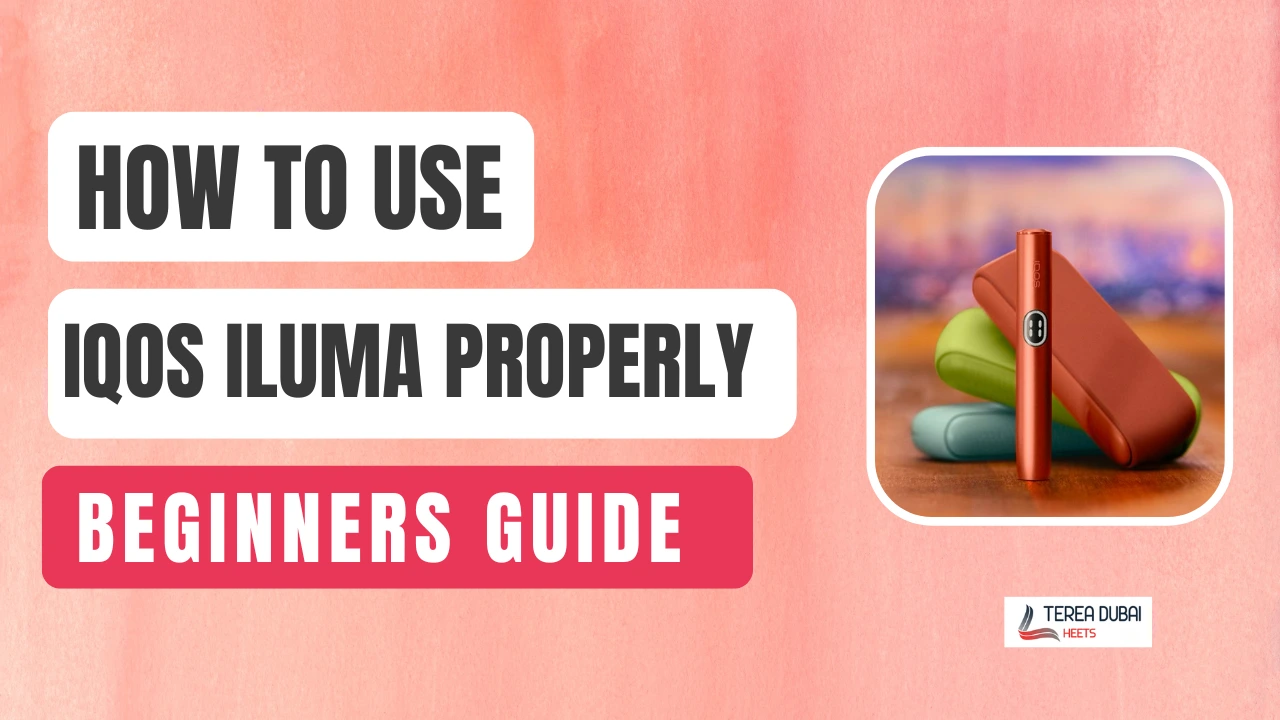
Using IQOS ILUMA for the first time can feel confusing—especially if you’re not sure how it works or which sticks to use. The good news? It’s actually one of the easiest heated tobacco devices to use once you know the basics.
In this step-by-step guide, you’ll learn exactly how to use IQOS ILUMA properly—from setup to your first session—without making common beginner mistakes.
What Is IQOS ILUMA and How Does It Work?
IQOS ILUMA is a smart device that heats tobacco without burning it. It uses a new blade-less heating system to provide a cleaner experience.
The Smartcore Induction System heats the tobacco from inside the stick using magnets. Since there is no blade, nothing breaks, and there is no mess to clean.
Unlike older IQOS models with ceramic blades, ILUMA is more reliable and gives consistent taste every time.
A Quick Look at IQOS ILUMA Variants
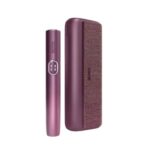
The IQOS ILUMA comes in two main versions: the original series and the updated ILUMA i-Series. Both versions use the same clean heating technology, but the “i” series adds new smart features like a touch screen.
What Are TEREA Sticks, and Are They Compatible?
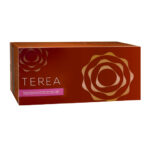
TEREA sticks are made only for the IQOS ILUMA. They have a tiny metal part inside that works with the device’s magnets. This is how the blade-less heating works.
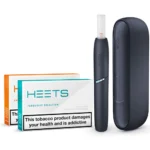
You cannot use HEETS in an ILUMA. Always use original Terea sticks for the best performance. There is a wide range of flavors.
What You Get in the IQOS ILUMA Kit
The IQOS ILUMA kit comes with everything you need.
- IQOS ILUMA Device/Holder
- Pocket Charger
- USB-C Cable & Power Adapter
- User Manuals & Warranty Card
N.B.: No TEREA sticks are included; you have to buy them separately.
Before You Start: First-Time Setup Guide
Charge the Device Fully
The first step for a new IQOS ILUMA setup is a full charge. Plug the pocket charger into a wall outlet using the official cable. A full charge takes about 135 minutes and helps the battery stay healthy.
Turn It On
Once charged, you need to wake the device from sleep mode. This is a one-time step for your new kit. To turn the device on, hold the button on the pocket charger for four seconds. The status lights will glow to show the device is awake.
Basic LED Indicators
Learn what each light means to avoid common errors. The lights tell you exactly how many sessions are left.
| Light Status | Meaning |
| Two White Lights | Two sessions are ready to go |
| One White Light | One session is remaining |
| Blinking White | The device is currently heating up |
| Blinking Yellow | The battery is low and needs a charge |
| Blinking Red | There is a minor device error |
Pairing (If Applicable)
You do not need to pair your IQOS ILUMA device with any app to start. It works perfectly right out of the box. The holder and charger connect automatically when you click them together. Just insert the holder into the case to sync and charge. This simple design makes it very easy for beginners to use.
How to Use IQOS ILUMA (Step-by-Step)
Step 1: Insert a TEREA stick.
Take one TEREA stick and hold it gently. Push it into the top of the holder up to the printed line. IQOS ILUMA only works with these specific sticks. Never twist the stick during insertion.
Step 2: Start the Heating Process
The IQOS ILUMA start heating process often begins on its own. If not, press the holder button for one second. The device will vibrate once to show it is starting. The white lights will pulse slowly as it heats.
Step 3: Wait for the Vibration Signal
Wait about 20 seconds for the tobacco to reach the right heat. The holder will vibrate a second time when ready. The lights will stay solid white. When heating is done, you will feel another vibration. The light will change from blinking to solid white. Now you are ready to take your first puff
Step 4: Enjoy Your Session
Take slow, light puffs from the filter for the best taste. Do not puff too hard or too fast. An average IQOS session duration lasts 6 minutes or 14 puffs. The flavor stays smooth until the end.
Step 5: End of Session & Removal
The device will vibrate when two puffs are left. Once the light turns off, the ILUMA session is about to end. Pull the TEREA stick straight out of the holder. Throw the stick away and return the holder to the charger.
Important Tips for First-Time Users
Small habits make your device last longer. Follow these IQOS ILUMA usage tips to enjoy a better experience. These steps help you get the best taste and keep the device safe.
- Never force the stick: If you feel resistance, stop. Check if a piece of a previous stick is left inside.
- Keep it charged: Put the holder back in the charger after every use. This ensures it is always ready for your next session.
- Store properly: Keep your device in a cool, dry place. Extreme heat or cold can damage the battery.
- Use original sticks only: Only use TEREA sticks designed for the ILUMA. Other sticks can cause errors or poor vapor.
| Mistake | Result | Better Way |
| Using HEETS | No heat produced | Use TEREA sticks only |
| Twisting the stick | Damaged holder | Push straight down |
| Skipping a charge | The device won’t start | Charge after each use |
| Fast puffing | Overheating | Take slow, light puffs |
Do You Need to Clean IQOS ILUMA?
No, you do not. The IQOS ILUMA has no blade, so there is almost no residue. Older models need daily scrubbing, but this one stays clean.
- Minimal cleaning required: You do not need to clean it every day. No special cleaning sticks are needed. No scrubbing is required to keep it working.
- No blade means less maintenance: The Smartcore Induction System heats from within the stick. The tobacco never touches the internal parts. No gunk or ash builds up inside.
- Basic care tips: Wipe the outside with a dry cloth once a week. Use a small, dry brush for the inside opening if dust appears. Never use water or sharp objects near the sensors.
FAQs About Using IQOS ILUMA
Q. How long does IQOS ILUMA last per session?
A: About 6 minutes or 14 puffs. The device vibrates twice near the end.
Q. Can I use HEETS in IQOS ILUMA?
A: No. HEETS are not compatible. Only TEREA sticks work in IQOS ILUMA.
Q. Why is my ILUMA device blinking red?
A: Low battery or a stick error. Charge the device or reinsert the TEREA stick.
Q. How long does it take to charge?
A: About 90-135 minutes for a full charge depending on which device you are using.
Q. What does a solid white light mean?
A: The device is ready to use. You can start your session.
Q. What does a blinking white light mean?
A: The device is heating. Wait about 20 seconds for the vibration signal.
Q. Why is my device not vibrating?
A: Battery may be dead. Charge the pocket charger and place the holder inside.
Q. Can I use IQOS ILUMA while charging?
A: No. The holder must be removed from the charger to use it.
Q. How do I know when the session is over?
A: The device vibrates twice, and the light turns off.
Final Thoughts: Is IQOS ILUMA Easy to Use?
IQOS ILUMA is one of the easiest heated tobacco devices to use, especially for beginners. Once you understand the basic steps, the process becomes quick and automatic.
Just remember: always use original TEREA sticks, follow the light signals, and keep your device charged for the best experience.